
Configuring integrations
Connect your data sources and, if you want it, an AI provider.
Where to configure
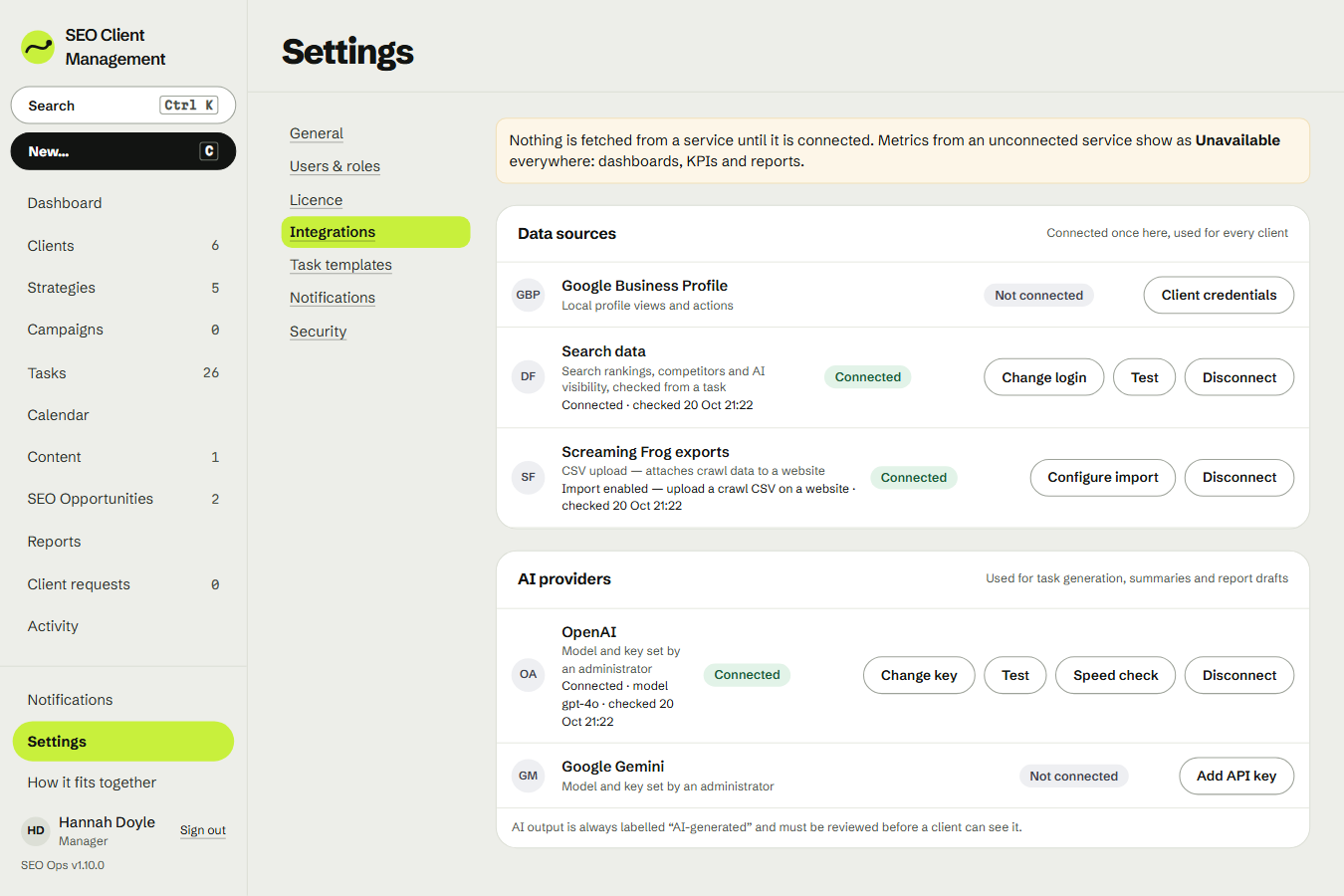
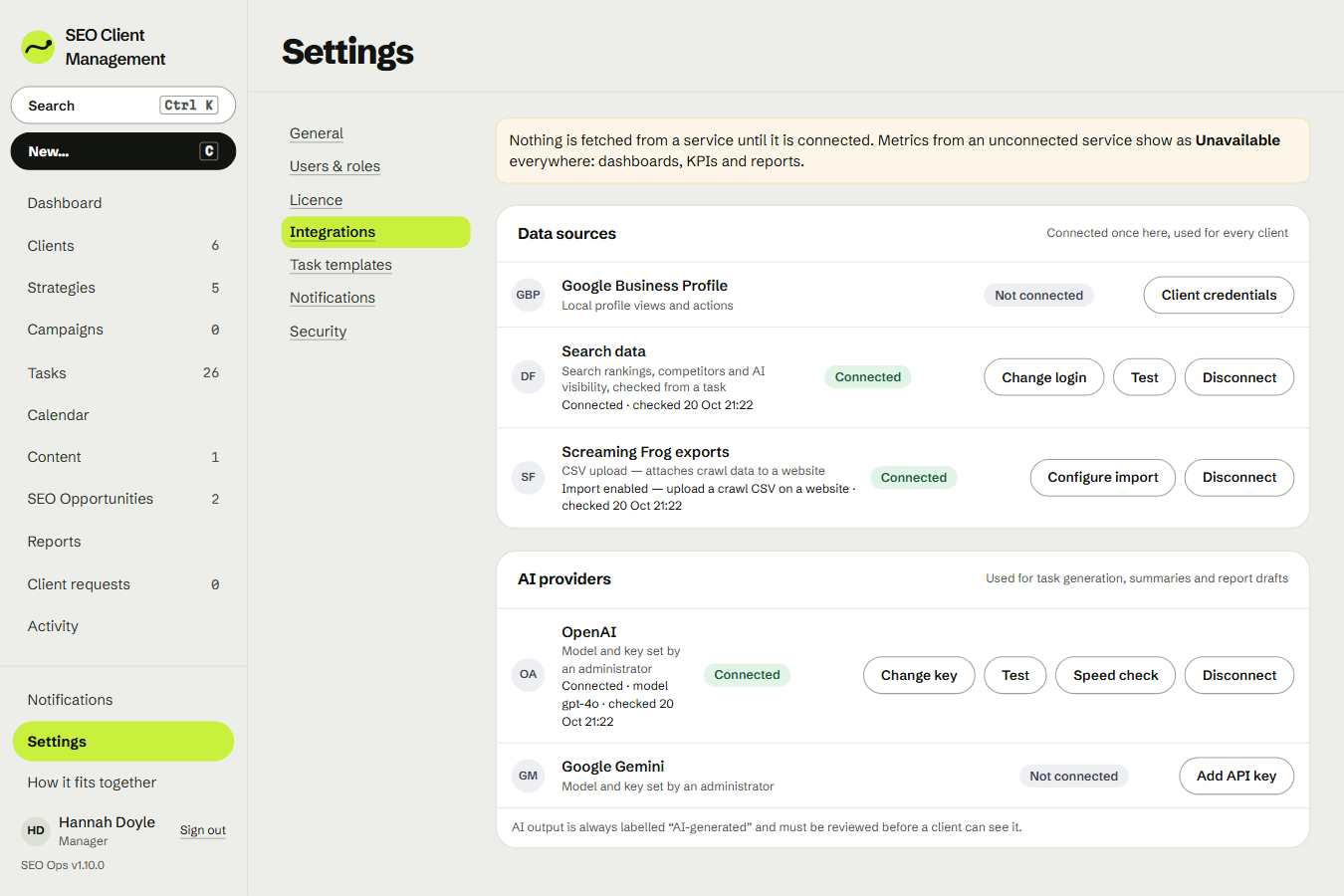
Open Settings › Integrations. There are two groups: Data sources and AI providers. An integration that is not set up is clearly shown as Not connected, with a way to connect it.
Data sources
- Google Business Profile: create OAuth credentials in your Google Cloud project, add the Authorised redirect URI shown on the screen, then enter the Client ID and Client secret.
- The search data service and AI providers: paste the API key into the field for that service.
- Screaming Frog: switch on Enable the CSV import to import crawl exports. See Importing a crawl.
AI providers
Choose OpenAI or Google Gemini, enter your API key and the Model to use. AI is optional. Without a provider, everything else works and the AI actions are simply not offered.
SEO Ops never invents figures. A source that is not connected shows no data, not placeholder data.
What each connection needs
| Connection | What you provide | Plan |
|---|---|---|
| Screaming Frog | Switch on the CSV import. No keys. | Free |
| Google Business Profile | OAuth Client ID and secret, then sign in. Google must approve API access. | Premium |
| Search visibility | The agency’s search data login, saved once, with optional usage limits. See Search visibility. | Premium |
| OpenAI or Google Gemini | An API key and the model to use. | Premium |
On the Free plan, the Premium connections show a lock and a button to the Licence screen, instead of letting a click fail. Disconnecting is always allowed.
Test every connection
Each connection has a test button. Use it straight after saving a key. A successful result means SEO Ops reached the provider with your credentials. For AI providers there is also a Speed check, which times a tiny request so you can tell a slow model apart from a fault.
How keys are kept
Keys and secrets are stored encrypted and are never placed in messages or logs. The encryption key is created automatically the first time it is needed, so nothing has to go in wp-config.php.
Step-by-step guides
After connecting
Choose the property for each website and add measures. See Measures and data sources. For the full list of what each integration does today, read Every SEO Ops integration, and what each one does today.
Common questions
Is AI required?
No. Without a provider, everything else works and the AI actions are simply not offered.
Which AI model should I pick?
Choose a fast one. Reasoning models can think for many seconds. SEO Ops asks them for the least thinking they allow and gives up after 45 seconds with a clear message, and the Speed check tells you how a model performs on your host.