Approvals
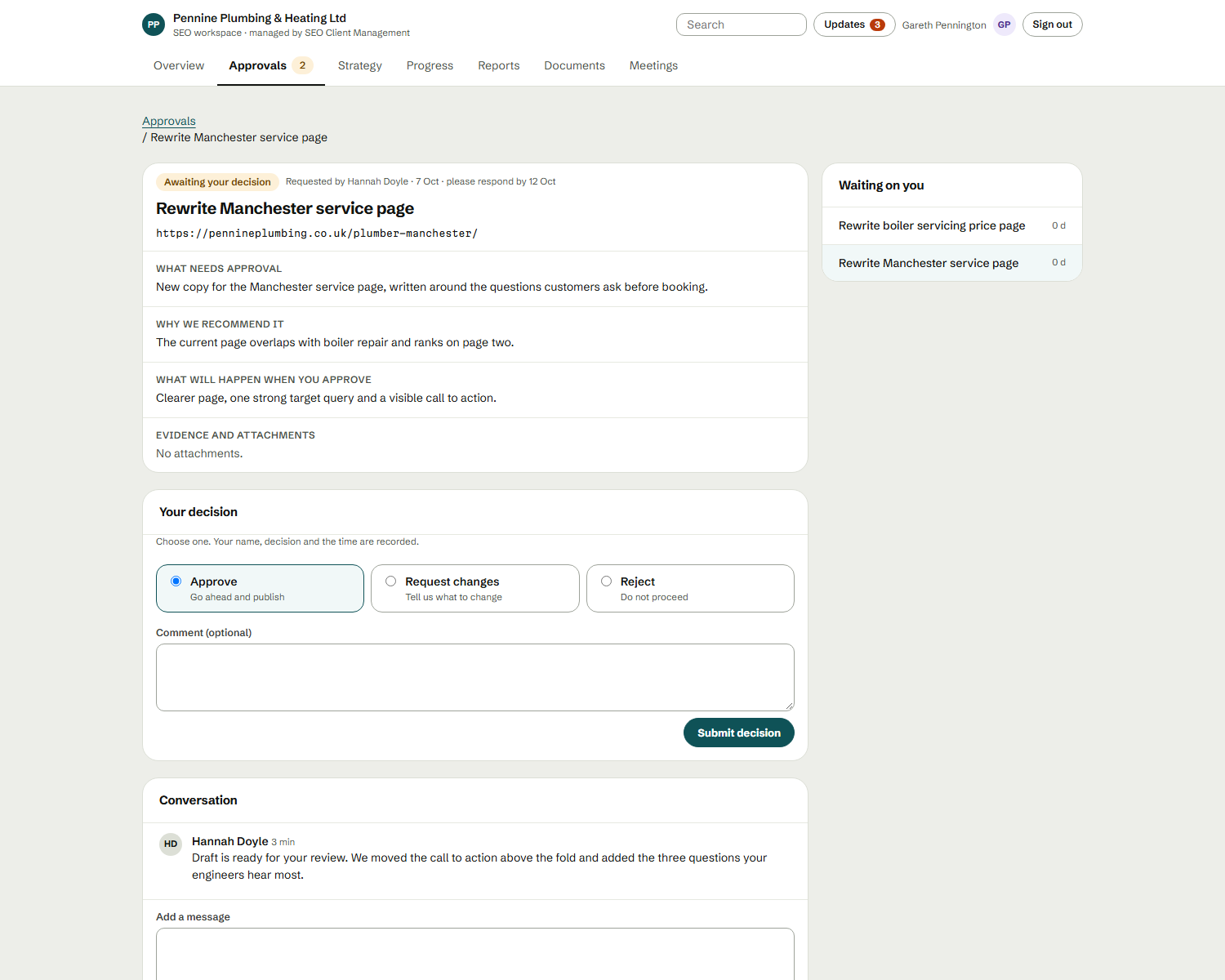
Nothing reaches a client until it’s approved.
Internal review, client approval, revisions and publishing — with a clear status on everything and a record of who approved what.
What it does
A visible line between internal agency work and client-facing information.
- Internal review
- Your team checks work before anyone outside sees it.
- Client approval
- Clients sign off where their approval is needed.
- Approval status
- Always clear what’s pending, approved or needs changes.
- Revisions
- Changes requested, made and re-submitted.
- Publishing
- Only approved work becomes client-visible.
- Auditability
- A record of who approved what, and when.
The problem it solves
Without a clear approval step, drafts get shared too early and nobody can say who signed off what.
Why it matters
Approvals protect quality, keep AI-drafted content under human control and give you a record of every decision.
Internal review → Client approval → Revisions → Publish
Revisions loop back until the work is approved.
Where it fits in the workflow
The checkpoint before anything goes out.
The full workflow →Who benefits
- Account managers Keep client work, approvals and reporting organised and moving.
- Agency owners See every client, workload and strategy without chasing updates.
- SEO specialists Turn findings and recommendations into structured deliverables.