
Integrations
Connect the services your workflow relies on.
Connect supported services, see the state of every connection, and fix problems quickly when authentication or syncing fails.
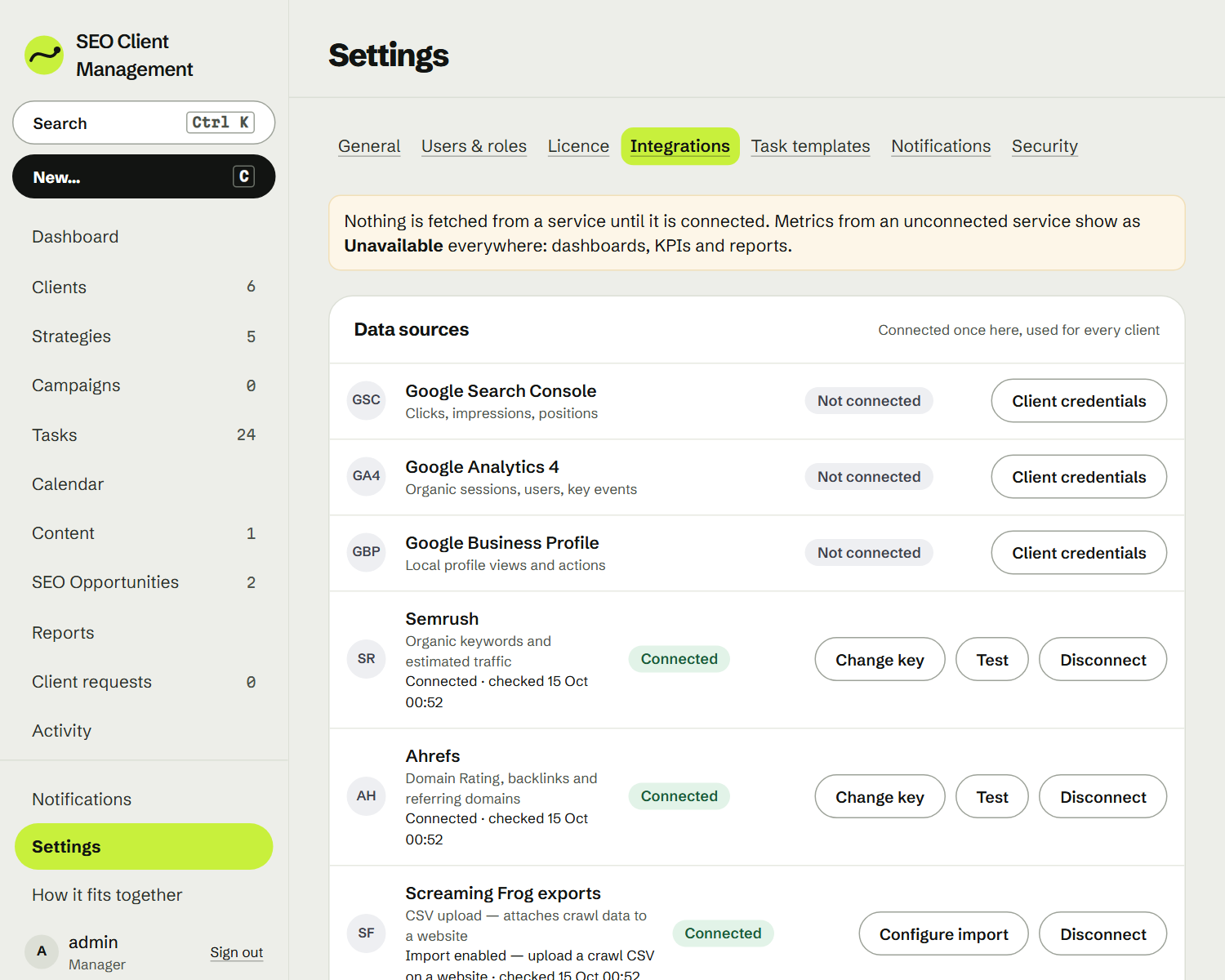
What it does
Only currently available integrations are listed. Anything planned is clearly labelled as planned.
- Connected
- The service is linked and working.
- Disconnected
- Not linked yet, or deliberately switched off.
- Authentication
- Sign in to the service to grant access.
- Sync
- Data moves between the service and your workspace.
- Errors
- Clear messages when something goes wrong.
- Reconnection
- A straightforward route back to connected.
The problem it solves
When data is scattered across services, someone ends up copying numbers between tabs — and nobody knows if they’re current.
Why it matters
Clear connection states mean you always know whether data is up to date, and what to do when a connection breaks.
Always know where a connection stands.
- Connected Linked and working normally.
- Disconnected Not linked yet, or switched off.
- Authentication Waiting for sign-in to grant access.
- Sync Data moving between service and workspace.
- Error Something failed — with a message saying what.
- Reconnection The route back to connected.
Supported integrations
Screaming Frog exports, OpenAI, Google Gemini and Google Business Profile.
Planned integrations are labelled “Planned”
Where it fits in the workflow
Where outside data feeds the loop.
The full workflow →Who benefits
- Agency owners See every client, workload and strategy without chasing updates.
- SEO specialists Turn findings and recommendations into structured deliverables.
- Developers Get technical tasks with the requirements and context attached.
Integrations in Free and Premium
Premium
Adds AI drafting, search visibility checks and the Google Business Profile connection.
Unlock this with Premium