
Upgrading to Premium
What changes when you move from Free to Premium.
What Premium adds
The full list of what is in each edition is on the Free vs Premium page, and plans and prices are on the Pricing page. Your clients, strategies and tasks stay where they are when you upgrade.
How to upgrade
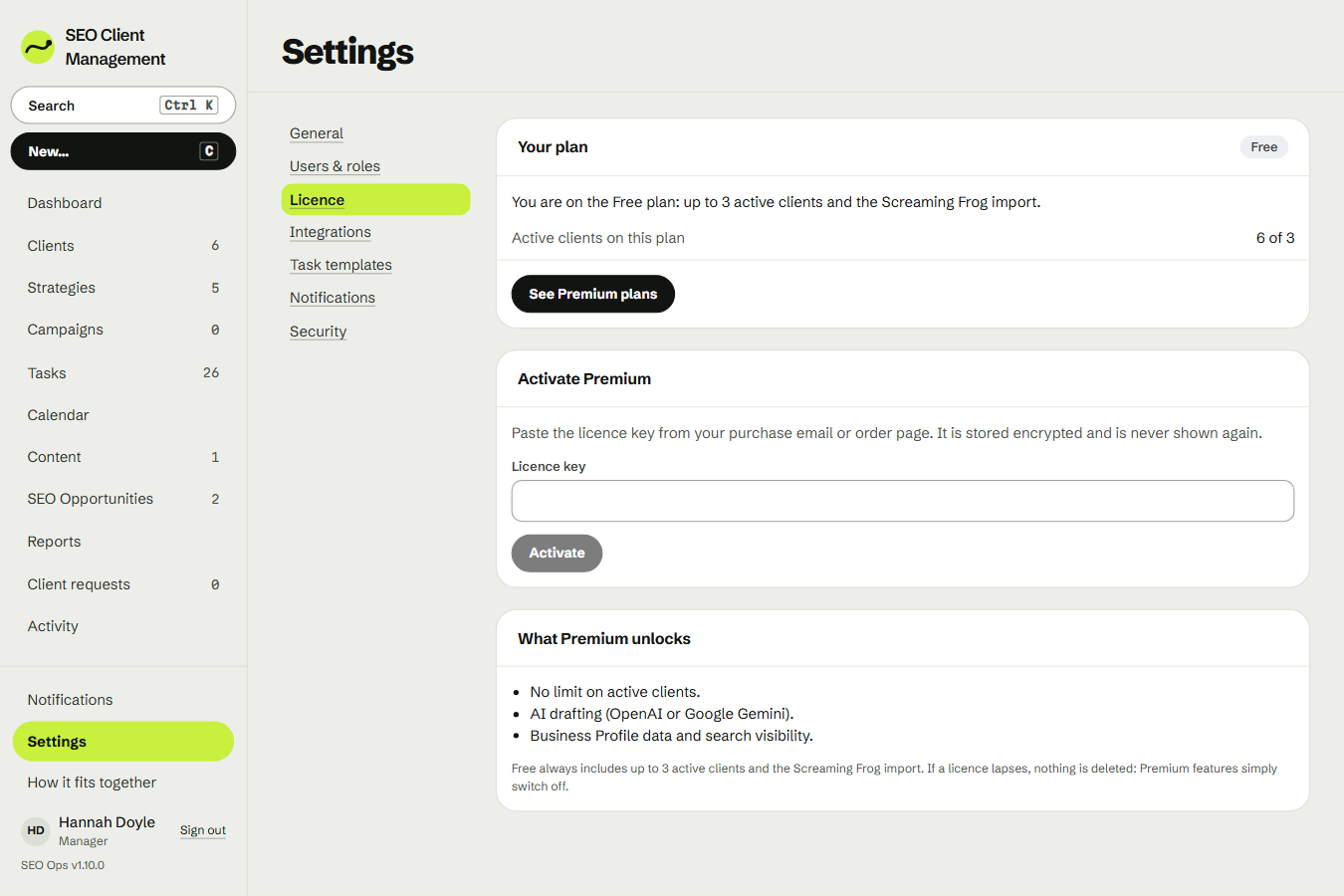
Step-by-step upgrade instructions, 1. Choose a size on the pricing page and pay at our secure checkout. 2. Your licence key arrives by email and is on your order page. 3. In WordPress, go to SEO Ops → Settings → Licence, paste the key and click Activate. Premium switches on straight away. To move a licence to another site, deactivate it first on the old one.
Before you upgrade
- Take a backup of your site and database.
- Check you meet the requirements: WordPress 6.5 or newer and PHP 8.1 or newer.
- Make sure no one is part-way through editing a strategy or report.
What Premium adds
- No limit on active clients. Free allows up to 3.
- AI drafting with OpenAI or Google Gemini: strategy sections, summaries and report wording, always labelled as AI drafts and reviewed by a person before anything is shared.
- Connected data from Google Business Profile, fetched into your measures and reports, plus the Google rankings and AI answers from search visibility.
Everything else, including the Screaming Frog import, the client portal, approvals and reports, is in Free.
Choosing a size
| Plan | Sites covered by one key |
|---|---|
| Solo | 1 site |
| Agency | Up to 5 sites |
| Unlimited | Any number of sites |
Prices are on the pricing page. A “site” here is a WordPress site running SEO Ops, not a client’s website. Most freelancers need one site; an agency with a separate staging or second install needs more.
After you upgrade
- Check that the screen shows Premium active with your plan.
- Open Settings › Integrations. The Premium locks are gone, and each source or AI provider can be connected. See Configuring integrations.
- Choose the property for each client website and add measures. See Measures and data sources.
If Premium ever ends
Switching Premium off never deletes or hides anything. Clients above the Free limit stay visible and editable; only adding new active clients and the Premium features stop. You can come back and activate again at any time.
A check you can make first: the Free plan is a full working plugin for up to 3 active clients. Many freelancers start there and upgrade only when they take on a fourth client or want AI drafts and connected data.
Common questions
Do I need to reinstall anything?
No. You activate a key in the plugin you already have. Make sure it is version 1.3.0 or newer, because the Licence screen does not exist in older versions. See Updating the plugin.
Can I move my licence to another site?
Yes. Deactivate it on the old site first, then activate it on the new one. Activating your licence explains the steps.
Is my data used to check the licence?
The licence check sends your key and a name for the site to the licence service, and nothing about your clients, tasks or strategies.