
Screaming Frog import
Bring crawl data in. Send actionable work out.
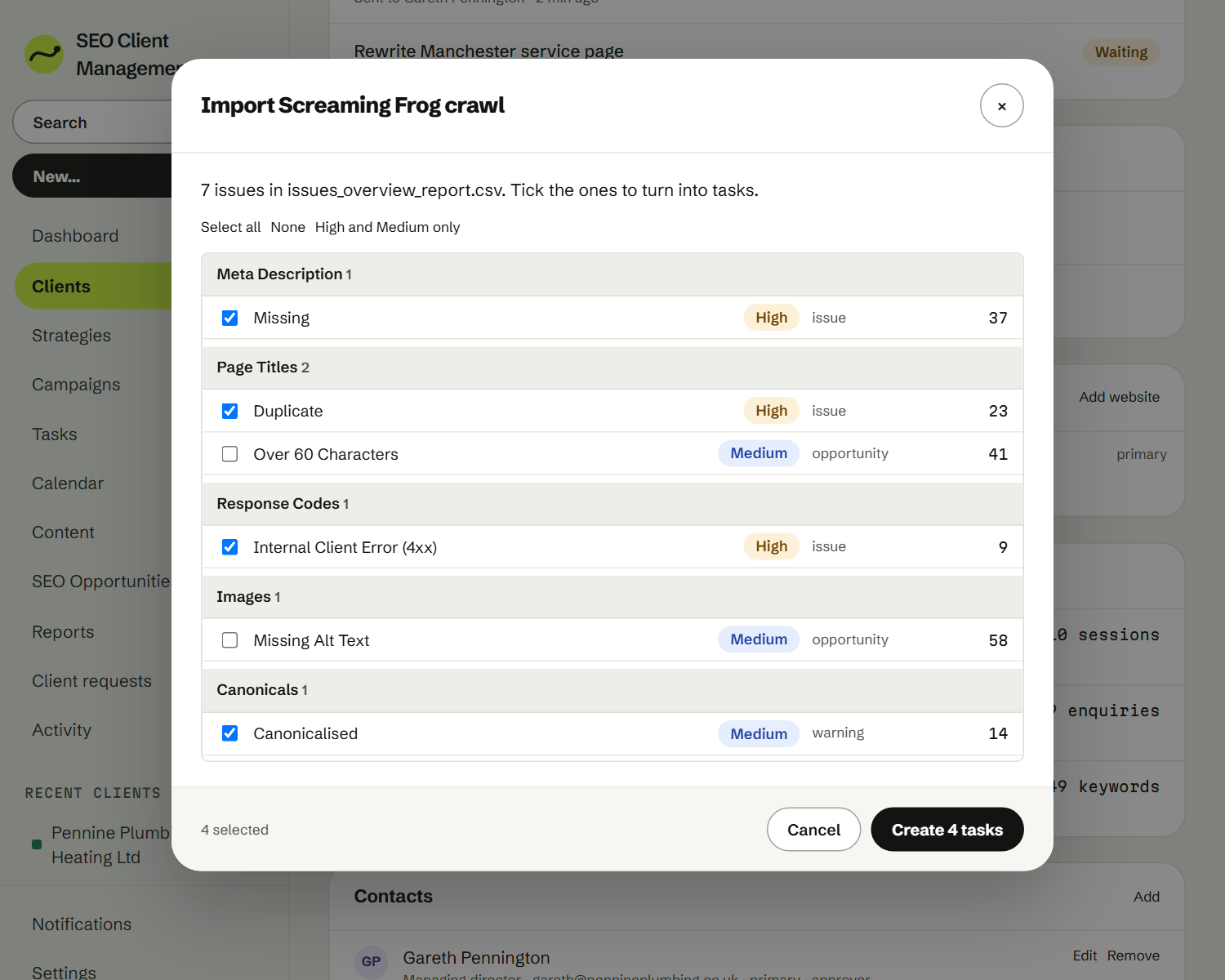
Import Screaming Frog crawl data, review what came through, and turn the findings that matter into tasks connected to the client’s strategy.
What it does
From crawl export to assigned task, without a spreadsheet in between. Supported export types: the Issues Overview report and the Internal: All export.
- Importing Screaming Frog data
- Bring your crawl exports into the client’s workspace.
- Reviewing imported data
- Check what came through before acting on it.
- Identifying issues
- Pick out the findings that actually need work.
- Turning findings into work
- Create tasks directly from what you found.
- Connecting findings
- Link technical findings to tasks and strategies.
The problem it solves
Crawl exports are thorough — and then ignored. Thousands of rows in a spreadsheet nobody turns into tickets.
Why it matters
Reviewing findings in the same place as the tasks and strategy shortens the path from crawl to fix, and keeps the evidence attached to the work.
From crawl to tasks, in five steps.
Conceptual workflow — not the plugin’s interface.
Where it fits in the workflow
Where technical evidence enters the loop.
The full workflow →Who benefits
- SEO specialists Turn findings and recommendations into structured deliverables.
- Developers Get technical tasks with the requirements and context attached.
- SEO agencies One central place for every client’s strategy, tasks and reporting.